How To Set Airtel Caller Tune? Quick Guide!
Do you want to impress your friends and know how to set Airtel caller tune or Hello tune? Airtel has multiple methods to let you personalise the caller tune experience. You can easily express your friends and family even before you pick up the call with the help of caller tune. Let’s check out the best ways to set an Airtel caller tune:
Also Read: 10 Mind-Blowing Galaxy S25 AI Features You Need To Know In 2025
Method 1: Using the Wynk Music App
The first method to knowing how to set Airte caller tune is using the Airtel Wynk Music App. Follow the steps:
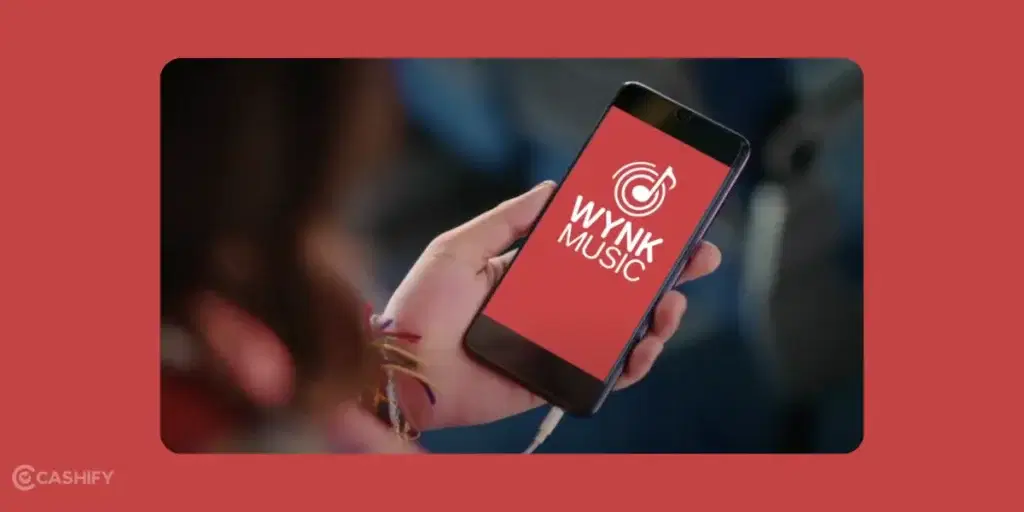
- Install the Wynk Music app from the Google Play Store (Android) or App Store (iOS).
- Open the app and sign in with your Airtel mobile number. You’ll receive an OTP (one-time password) to verify.
- Tap the “Hellotunes” option (usually found on the bottom navigation bar or home screen).
- Browse the library or search for your favourite song.
- Tap the song, preview it, and hit “Set Free Hellotune.” Confirm your choice.
- You’ll receive an SMS confirming the tune is activated. It’s typically valid for 30 days.
Note: This is free for Airtel prepaid users with unlimited plans (e.g., Rs. 129 or above). Others may incur a small fee (around Rs. 19/month).
Also Read: 10 Best AI Camera Phones In 2025: Premium & Budget Picks For You
Method 2: Using the Airtel Thanks App
Second method is to use the Airtel Thanks App. Let’s check out the step now:

- Get the Airtel Thanks app from the Google Play Store or App Store.
- Log in with your Airtel number and verify via OTP.
- Go to the “Manage” tab and select “Set Hellotune.”
- Search or browse the available tunes.
- Tap “Set Free Hellotune” to confirm. You’ll get an SMS once it’s active.
Method 3: Copy Someone Else’s Tune
- Dial a friend or family member with an Airtel number whose caller tune you like.
- While the tune plays, press *9 or #9 on your keypad (depending on prompts).
- Follow any instructions, and the tune will be set on your number.
Method 4: Using SMS (Limited Availability)
- Get the song ID from Wynk Music or Airtel’s official site.
- Text “CT [Song ID]” to 543211 (e.g., “CT 12345”).
- Reply with “Y” or “Yes” to a follow-up SMS if prompted.
Note: SMS and USSD methods (*678#) may not work consistently anymore. Airtel has shifted focus to app-based activation.
Also Read: 5 Samsung Galaxy S25 Ultra Features You Didn’t Know You Needed
How to Set a Different Caller Tune for Specific Contacts?
You can set a different caller tune for different people. For example, you can set a romantic song for your partner and a funny dialogue for your best friend. Here are the steps that you need to follow for the same.
- Open the Wynk Music app or the Airtel Thanks app.
- Go to the Hellotunes section.
- Choose the song you want.
- Instead of clicking “Set for All,” look for the “Set for Specific Contact” option.
- Select the contact from your phone book.
- Confirm your selection.
You can set special tunes for up to 5 contacts. It is a free feature. It works great if you want to personalise your calls for your close ones.
What Is the NameTune Feature?
Airtel has an impressive feature called NameTune. It greets your callers with your own name instead of a song. So when someone calls you, they hear something like “You are calling Rahul” before the tune plays.
You can search from a list of predefined names to set up your NameTune. It’s a simple way to make your number feel more personal and professional.
To set it up, go to the Hellotunes section in the Airtel Thanks app and look for the NameTune option.
How to Remove the Pre-Tune Message
Sometimes, a short message plays before your caller tune. This is called a Pre-Tune message. Many users find it annoying. You can stop it by following the steps below.
- Open the Wynk Music app.
- Go to the Hellotunes section.
- Click on the three dots (ellipsis) in the top card.
- Select “Stop Pre-Tune Message.”
Your change will reflect on your calls within the next 10 minutes.
Does the Caller Tune Auto-Renew?
No, the free Hello Tune does not auto-renew after 30 days. You need to go back to the Wynk Music app and reactivate it manually. Don’t worry! It takes less than a minute.
If you want unlimited changes without worrying about the 30-day limit, you can buy the Wynk Premium subscription. It lets you switch tunes as often as you want.
How to Troubleshoot Common Problems and Fix Them?
Sometimes things don’t go as planned. Here are quick fixes for the most common problems:
| Problem | Fix |
| Caller tune is not activating. | Check your internet connection. The app needs the internet to set a tune. |
| Tune not playing for callers. | Wait 10–15 minutes. Activation takes a little time. |
| App showing error | Log out and log back in with your Airtel number. |
| The SMS method is not working. | Use the Wynk or Airtel Thanks app instead. SMS activation is now limited. |
| Tune expired | Reopen Wynk Music and reactivate the same tune for free. |
If the issue persists, go to the Help section in the Airtel Thanks app. You can also reach the Wynk support team at contact@wynk.in. They will help you to resolve your issues as soon as possible.
Things To Keep In Mind
Now that you know how to set Airtel caller tune, there are some things that you should keep i mind:
- Validity: The tune lasts 30 days; renew it via the app if needed.
- Cost: Free with unlimited plans; check your plan to avoid charges.
- Deactivation: To stop, open Wynk Music, go to “Manage Hellotunes,” and select “Stop Hellotunes,” or SMS “STOP” to 543211.
Perks Of Having Airtel Caller Tune
Airtel Caller tune is not just a thing to entertain the people who call you. There are many other perks to it as well. Let’s check them out:
- You can replace the usual ringtone with a song that shows your personality, mood, or interests.
- If you’re on an Airtel unlimited plan (Rs. 129 and above), you can set a caller tune for free.
- Airtel offers a huge choice of songs. This includes Bollywood hits, regional songs, and more, through Wynk Music.
- You can easily set or change your caller tune using the Airtel Thanks app or Wynk Music. You can change it as often as you like.
- You can use a cool or professional tune to impress friends, clients, or colleagues.
These perks make Airtel’s caller tune service a fun and easy way to personalise your calls!
Also Read: Top 5 Flagship Killers of 2025: Phones Cheaper & Better Than Pixel 9
FAQs about Airtel Caller Tune
How to set Airtel caller tune?
Use the Wynk Music app, Airtel Thanks app, copy a friend’s tune, or SMS (limited availability).
Is it free to set an Airtel caller tune?
Yes, it’s free for users on Airtel unlimited plans (Rs. 129 and above). Otherwise, there’s a small fee (around Rs. 19/month).
How do I copy someone else’s Airtel caller tune?
Dial their number and press *9 or #9 when their tune plays.
How do I deactivate my Airtel caller tune?
Use Wynk Music or SMS “STOP” to 543211.
How long does the Airtel tune last?
The tune lasts for 30 days.
What types of songs are available for Airtel caller tune?
Choose from Bollywood hits, regional songs, devotional music, and more.
Can I change my Airtel caller tune?
Yes, you can change it anytime using the Wynk Music app or Airtel Thanks app.
How how to set Airtel caller tune via SMS?
Text the song ID to 543211, and confirm via SMS.
What if I’m not on an Airtel unlimited plan?
You’ll be charged a small fee (Rs. 19/month) to set a caller tune.
In A Nutshell
In the end, I hope you know how to set Airtel Caller tune and personalise your calls. It’s now more than easy to impress your friends, family, or clients. You can check out different methods like Wynk Music App, Airtel Thanks App, or even copying a friend’s tune. All the methods are simple and require minimal efforts. It’s time to make every call a memorable one!
Looking to upgrade to a better phone? We have a smart solution for you. Buy refurbished mobile phones at almost half price from Cashify. They come backed with a six-month warranty and 15-day refund policy. Check out refurbished mobile phone sale now!





- How to set Airtel caller tune
- Is it free to set an Airtel caller tune?
- How do I copy someone else’s Airtel caller tune?
- How do I deactivate my Airtel caller tune?
- How long does the Airtel tune last?
- What types of songs are available for Airtel caller tune?
- Can I change my Airtel caller tune?
- How how to set Airtel caller tune via SMS?
- What if I’m not on an Airtel unlimited plan?
Recent Articles


Featured Videos





Latest Products







You May Also Read







New Launches




Xiaomi Redmi 17C 5G

Vivo X Fold 6