The Android 16 update is gradually reaching eligible Infinix phones, bringing new features through the company’s XOS 16 interface. Some models, including the Infinix NOTE 50S 5G and GT 30, have reported updates, while availability for other devices may vary by model and region.
If you’re waiting for Android 16 on your Infinix phone, this blog covers the eligible models, expected rollout timeline, key XOS 16 features, and how to check whether the update is available on your device. So, let’s begin.
Also read: Android 16 Update: Expected Features, Eligible Devices And More!
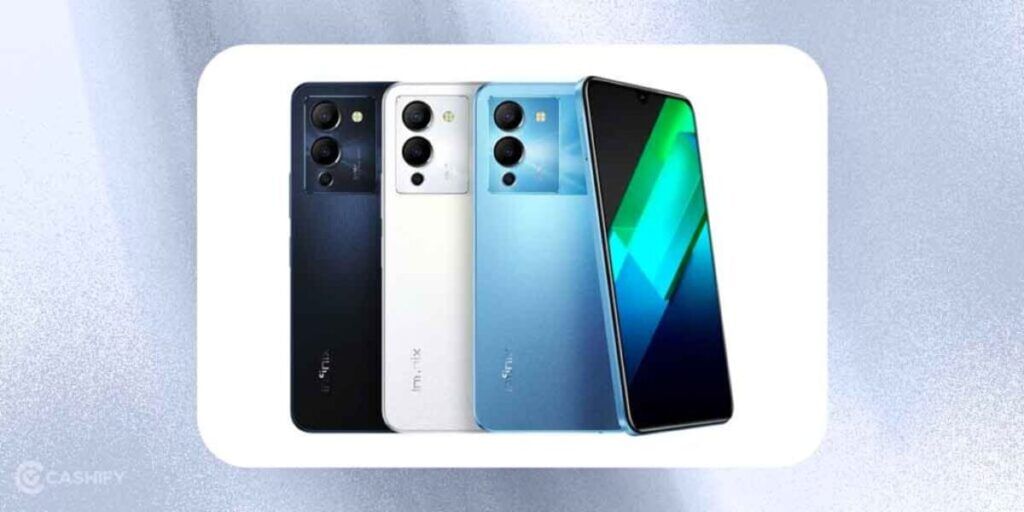
Which Infinix Phones Will Get The Android 16 Update?
| Rollout Phase | Expected Timeframe | Eligible Models |
|---|---|---|
| Q2 2026 | April to June 2026 | Note 50 Pro+ 5G, Note 50S 5G, Note 50 Pro, Note 50X 5G, Note 50, GT 30 Pro, GT 30 |
| Q3 2026 | July to September 2026 | Note 40 Pro, Note 40S, Note 40, GT 20 Pro, Hot 60 Pro, Hot 60 Pro+ |
| Q4 2026 | October to December 2026 | Zero 40, Zero 40 5G, Zero Flip |
Infinix’s software update policy offers up to two major Android OS upgrades and three years of security patches for premium models. Keeping that in mind, here’s the full list of eligible devices:
Additional Confirmed / Likely Eligible Models
| Series | Models |
|---|---|
| ZERO Series | Zero 40Zero 40 5GZero Flip |
| NOTE Series | Note 50 series (Pro+, Pro, S 5G, X 5G, Racing Edition, etc.)Note 40 series (Pro, Pro+ 5G, Pro 5G, S, X 5G, 5G, etc.) |
| GT Series | GT 30 ProGT 30GT 20 Pro |
| HOT Series | Hot 60 ProHot 60 Pro+ |
(Note: Some lower Hot/Smart variants may receive only security patches or delayed support)
Also read: Apple iPhones Eligible For iOS 26: Check Supported Devices
Android 16 In Infinix Phone: What Features To Expect?
XOS 16 brings Android 16’s core improvements with Infinix-specific enhancements, including a cleaner “Glow Space” interface, stronger AI tools, and better gaming/battery optimisations.
Here’s what you can expect:
| Feature | Description |
|---|---|
| Live Updates | Real-time progress notifications (e.g., ridesharing, food delivery, navigation) displayed prominently on the lock screen without needing to open the app. |
| Material 3 Expressive Design | Real-time progress notifications (e.g., ridesharing, food delivery, navigation) are displayed prominently on the lock screen without needing to open the app. |
| Desktop Windowing | On supported larger-screen devices (including some tablets or when connected externally), open, resize, and manage multiple app windows for better productivity. |
| Enhanced Security | Advanced protection against harmful apps, scam calls, and online threats; improved permission controls and Privacy Sandbox features. |
| Better Photo Picker | Select specific photos to share instead of granting full gallery access; supports cloud services like Google Photos. |
| Health Connect | Secure storage and management of health/fitness data with potential deeper XOS integration. |
| Adaptive Refresh Rate & Haptics | Dynamic screen refresh rate for better battery life; more refined and immersive haptic feedback. |
| Infinix AI Additions | New tools such as FlashMemo (quick AI note-taking), AI Writing assistance, real-time call translation, and enhanced productivity features. |
These features will be optimised for Infinix phones, with XOS 16 adding brand-specific tweaks like enhanced camera performance and smoother transitions.
Also Read: Android 15 Features, Eligible Devices List, All Details!
How To Update Your Infinix Phone To Android 16?
Ready to get Android 16 in the Infinix phone you own? Follow these steps to check for and install the XOS 16 update:
| Step | Description |
|---|---|
| Ensure Sufficient Battery | Charge your phone to at least 50 per cent to avoid interruptions during the update process. |
| Connect to Wi-Fi | Use a stable Wi-Fi connection to download the update, as it may be large and could consume significant mobile data. |
| Check for Updates | – Open the Settings app. – Go to System > System Update. – Tap Check for Updates. – If XOS 16 is available, tap Download. |
| Download and Install | – Choose Wi-Fi or mobile data to download. – After download, tap Install. – Your phone will reboot and apply the update automatically. |
| Local Update (Optional) | – Go to System Update menu. – Tap Local Update. – Locate the XOS 16 update file on your device. – Follow the prompts to install. |
Back up your data before updating to avoid any potential data loss. This is more likely to happen during beta releases. I personally faced it once.
Also Read: Xiaomi HyperOS Vs MIUI 14: Which Is A Better OS For You?
What If Your Infinix Phone Isn’t Eligible?
If your Infinix phone will no longer get new Android updates, don’t worry. Your phone will still work normally, but there are a few things you should know.
What This Means
Your phone will still run all basic features and most apps.
But without Android OS updates:
- You will not get new features or new Android designs.
- Your phone may become less secure over time.
- It may slowly start to feel slower as the software gets old.
What You Can Do Now
1. Upgrade to a Supported Phone
If you can, think about buying a newer Infinix phone.
New models get:
- 2 major Android updates
- Up to 3 years of security patches
You can also check:
- Trade-in options
- Infinix reviews
- Update guides
- Support pages
2. Try Custom ROMs (Only for Advanced Users)
Some tech communities make custom Android versions for old phones.
These can give you the latest Android version.
But this requires skill and may remove your warranty — so only tech-savvy users should try it.
3. Keep Installing Security Patches
Even if Android OS updates stop, you may still get security updates.
Always install them to stay protected from:
- Viruses
- Hacking
- Data leaks
- Malware
4. Use Your Phone Safely
- Don’t download apps from unknown websites
- Only use Google Play Store
- Avoid fake update messages
- Be careful with links and attachments
Also read: Top 3 Infinix Phones With High Resale Value In 2025
Final Words
The Android 16 update is gradually rolling out to eligible Infinix phones, with some models already reported to have received it. However, the update may not reach every device at the same time, as availability depends on the model and region.
If your phone is eligible but the update hasn’t appeared yet, check Settings > System Update regularly and keep an eye on official Infinix announcements. Before installing, connect to Wi-Fi, back up your important data, and ensure your phone has enough battery. This will help you prepare for XOS 16 and install the update safely when it becomes available for your device.
FAQs
Will my Infinix phone automatically receive the Android 16 update?
Yes, if your device is eligible, you’ll receive the Android 16 (XOS 16) update over the air (OTA). The rollout happens in phases, so it may take a few weeks or months to reach your phone, depending on your region and model.
How much storage space is needed for the Android 16 update?
The Android 16 update can be several gigabytes in size. It’s a good idea to keep at least 8–10GB of free storage before downloading the update to ensure the installation completes smoothly without any interruptions.
Will updating to Android 16 erase my data?
No, installing the stable Android 16 update should not delete your photos, apps, or files. However, backing up your important data before updating is always recommended, especially if you’re installing a beta version or using the local update method.
How long will Infinix provide Android 16 and security updates?
The update policy varies by device. Most recent premium Infinix smartphones receive up to two major Android OS upgrades and around three years of security updates, while budget models may receive fewer software updates depending on the series.
Can I install Android 16 manually if I haven’t received the OTA update?
Yes, if Infinix releases the official firmware for your model, you can install it manually using the Local Update option. Make sure you download the correct firmware from an official source to avoid software issues or installation failures.
Did you know that refurbished mobile phones cost at least 50% less than new phones on Cashify? You also get other discounts, No-cost EMI and more, making it the most affordable way to buy a premium phone. So, what are you waiting for? Buy refurbished mobile phones at your nearest cashify store and avail exclusive offers.